
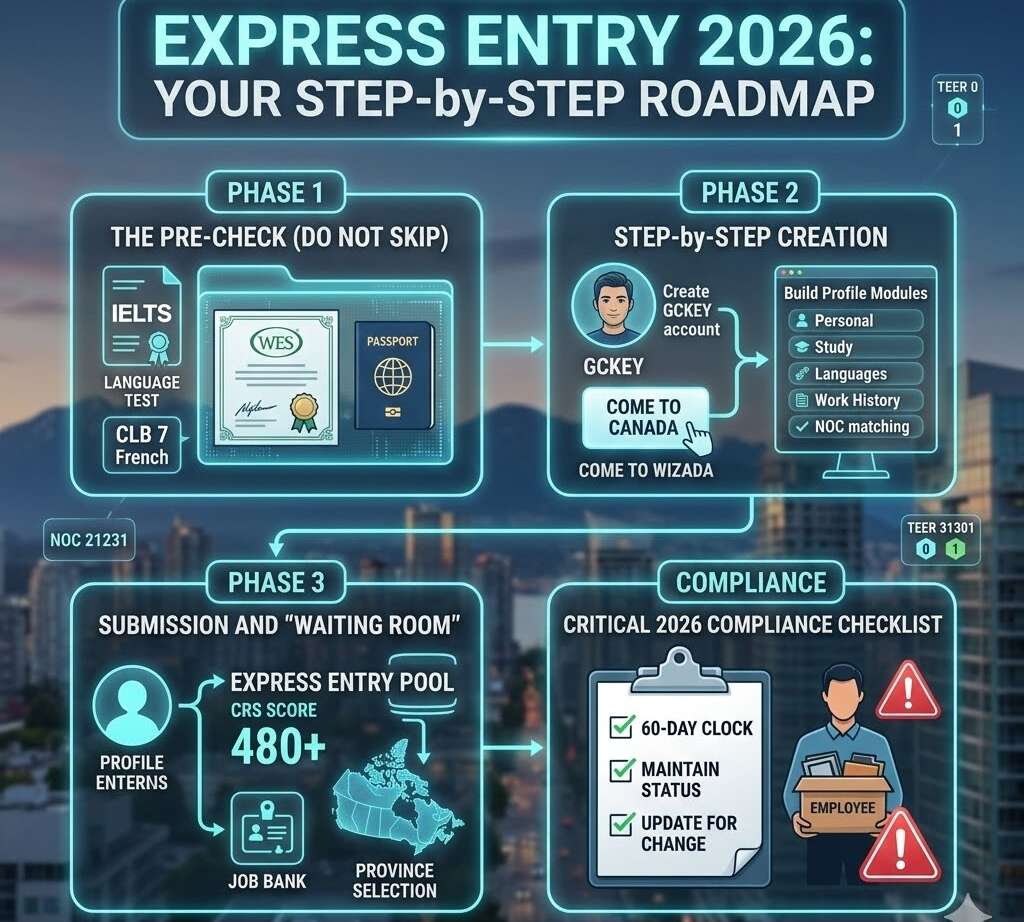
Opening an Express Entry profile in 2026 is a digital “first impression” that determines your future in Canada. Since the February 18, 2026 updates, the system has shifted toward “targeted talent,” meaning how you set up your profile today is more important than ever.
Here is the 2026 step-by-step roadmap to opening your profile correctly.
Phase 1: The “Pre-Check” (Do Not Skip)
Before you even touch the IRCC website, you must have your “Hard Evidence” ready. Profiles are valid for 12 months, but if your documents expire while you are in the pool, your profile becomes ineligible automatically.
- Language Results: Have your TRF number (IELTS/CELPIP) or NCLC (TEF/TCF) ready.
- 2026 Strategy: Aim for CLB 7 in French to enter the most frequent 2026 draws.
- ECA (Educational Credential Assessment): Ensure your WES or IQAS report is less than 5 years old.
- Passport: Must be valid for at least 6 months.
- NOC Selection: Match your job duties to the 2021 NOC Version 1.0. Remember, the title doesn’t matter; the duties do.
Phase 2: The Step-by-Step Creation
1. Create your IRCC Secure Account
Visit the official Canada.ca IRCC portal and register for a GCKey. This is your permanent digital ID for all Canadian immigration matters.
2. The “Come to Canada” Tool
Once logged in, you will use the “Come to Canada” wizard. It asks 15–20 questions about your age, work history, and family. If you qualify for the Federal Skilled Worker (FSWP), Canadian Experience Class (CEC), or Federal Skilled Trades (FSTP), you will receive a Personal Reference Code.
3. Build Your Profile Modules
You will be presented with four main sections to complete:
- Personal Details: Name, DOB, and Marital Status.
- Contact Information: Use an email you check daily; IRCC sends draw invitations here.
- Study and Languages: Enter your ECA and Language test scores exactly as they appear on the reports.
- Work History: This is the most critical part. You must list at least 1 year of continuous experience for FSWP or 1 year of Canadian experience for CEC.
- Note: As of 2026, many category-based draws now require 12 months of experience in a specific NOC within the last 3 years.
Phase 3: Submission and The “Waiting Room”
Once you hit “Submit,” your profile enters the Express Entry pool.
- The 24-Hour Rule: You will typically receive a PDF message in your account within 24 hours confirming your CRS score.
- Job Bank Registration: While no longer mandatory to stay in the pool, registering for the Canada Job Bank helps you find employers who can offer an LMIA to boost your score.
- Province Selection: In your profile settings, select “All Provinces and Territories” to maximize your chances of receiving a Provincial Nomination (PNP), which adds 600 points instantly.
Critical 2026 Compliance Checklist
- [ ] The 60-Day Clock: Once you start a profile, you have 60 days to finish it, or the system deletes your progress.
- [ ] Maintain Your Status: If your work permit expires while you are in the pool, you must update your profile to show you no longer have a valid permit, or you could face a 5-year ban for misrepresentation.
- [ ] Update for Change: If you get married, have a child, or get a new language test, you must update the profile within 30 days.

